Project Overview
Role — Lead Product Designer.
Responsibilities — Discovery · Workflow Design · Interaction Design · Information Architecture · System Governance.
Collaboration — Operations SMEs · Engineering Team · Business Stakeholders.
Key Constraint — High-density real-time operations with low cognitive load requirements.
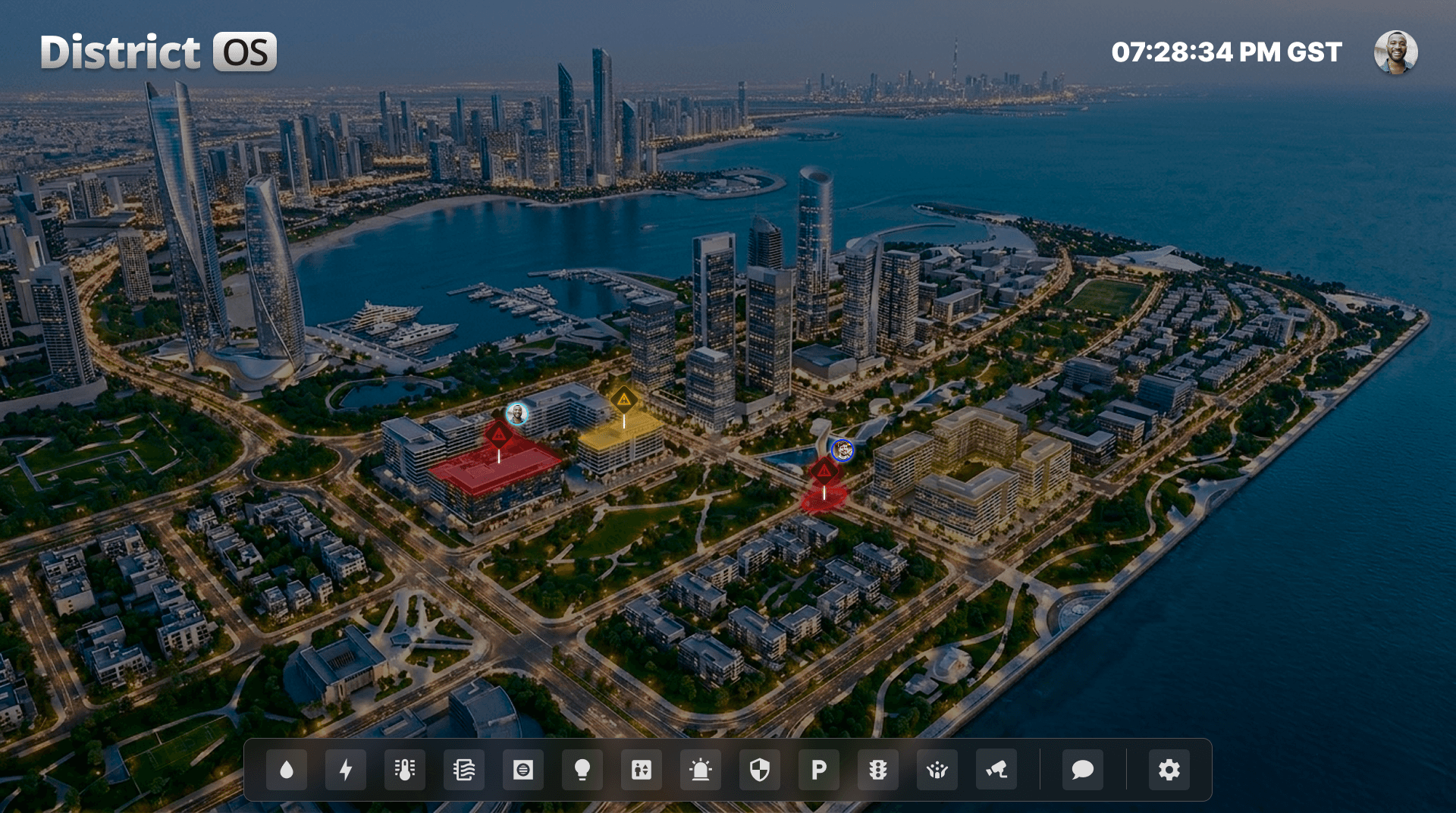
District OS — A real-time command interface designed to help operators monitor, prioritize, and act on live district events.
The Mission
Design a centralized operating system that enables command center teams to monitor district health, track personnel, and manage active incidents in real time.
The focus was on reducing response times through high-density data visualization and a structured typographic system.
01. Designing for High-Stakes, Real-Time Operations
The Command Center Context
Operators monitor systems continuously, often across long shifts and changing light conditions. The interface needed to remain legible and low-fatigue under constant use.
Large volumes of data — including coordinates, timestamps, and incident identifiers — had to be visible without overwhelming the map.
In parallel, multiple live incidents and data streams required rapid interpretation and decision-making under pressure.
The Design Problem
The challenge was to design a system that could scale structurally while remaining fast and actionable in high-pressure situations.
This required prioritizing critical signals in high-density environments, ensuring operators could identify and act on the most important information instantly.
The system needed to support both continuous monitoring and rapid escalation without increasing cognitive load.
02. Design Principles for Speed, Clarity and Scale
Clear Visual Hierarchy
Establish a typographic system that distinguishes critical alerts from background data instantly.
System Consistency
Create a unified component model that ensures coherence across all monitoring modules.
Context-Aware Interface
Preserve visibility of the underlying map while layering contextual tools and data dynamically.
03. My Role
Lead Product Designer
Led the end-to-end design of the system, defining its structure, interaction patterns, and visual language to ensure consistency across all monitoring modules.
Design Delivery
Produced a comprehensive design specification to support engineering implementation.
04. Building a Scalable Visual System
I designed a structured visual system to support real-time decision-making in high-density environments—defining how information is layered, prioritized, and interpreted without overwhelming the operator.
Design System Overview
A structured visual system defines how data is layered, prioritized, and interpreted across the interface.
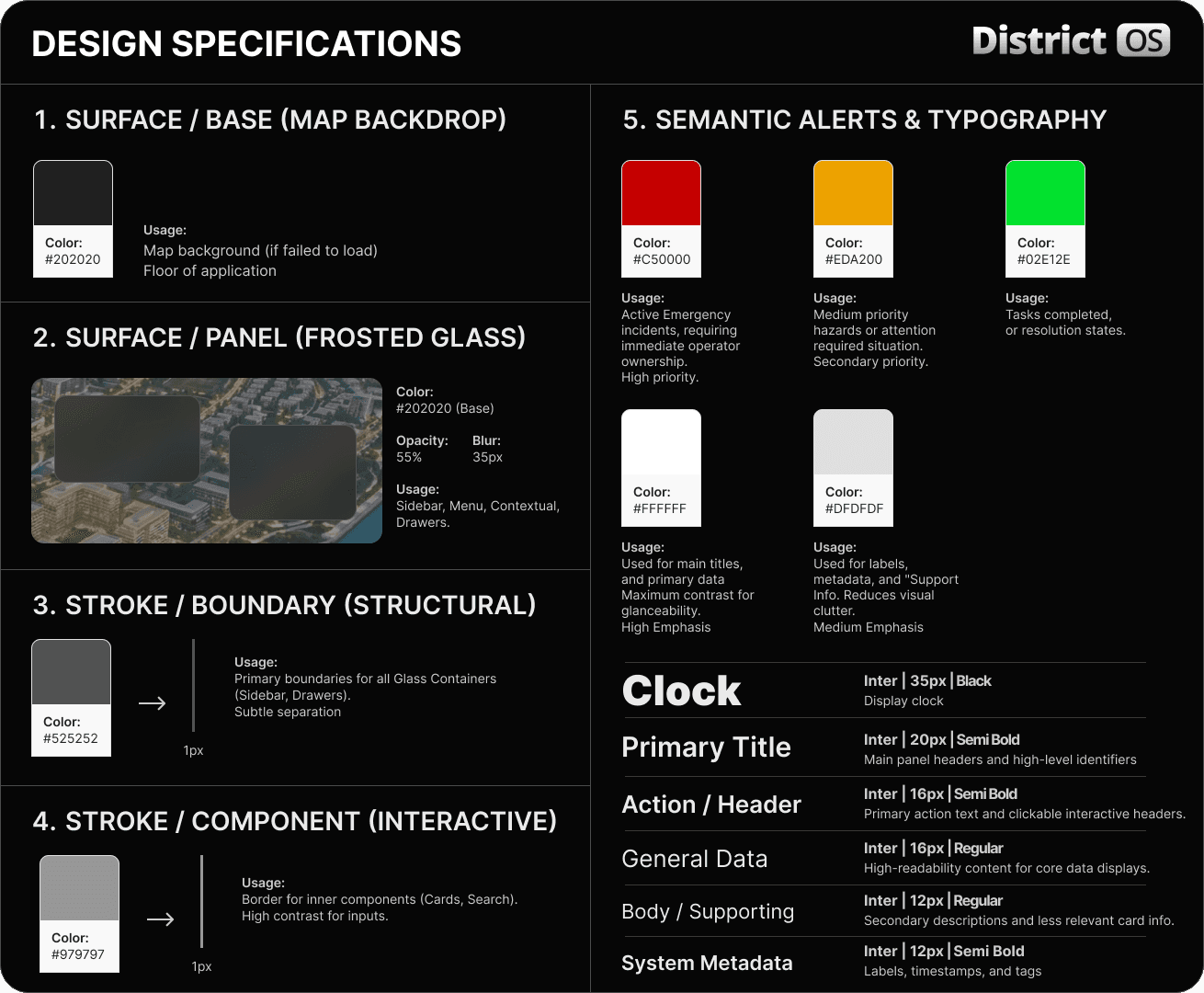
Building a Governance Model
To scale from a single map to a full monitoring platform, I designed a governance model that defines how components, data layers, and interactions behave across the system.
This created a predictable structure for operators—ensuring critical information is surfaced consistently under pressure.
Key System Logic
The system is built on a few core principles that guide how information is presented and prioritized.
Background Clarity
Layered transparency keeps the underlying map visible while maintaining legibility of critical data.
Cognitive Load Management
Visual emphasis is reserved for mission-critical information, creating a clear scanning path under pressure.
Visual Fatigue Reduction
The color and contrast system minimizes eye strain during extended monitoring, especially in low-light environments.
05. Real-Time Dashboard Experience
The system reduces time-to-action by combining direct operator control with automated responses—surfacing the right tools at the right moment.
The interaction model below shows how the system responds in real time:
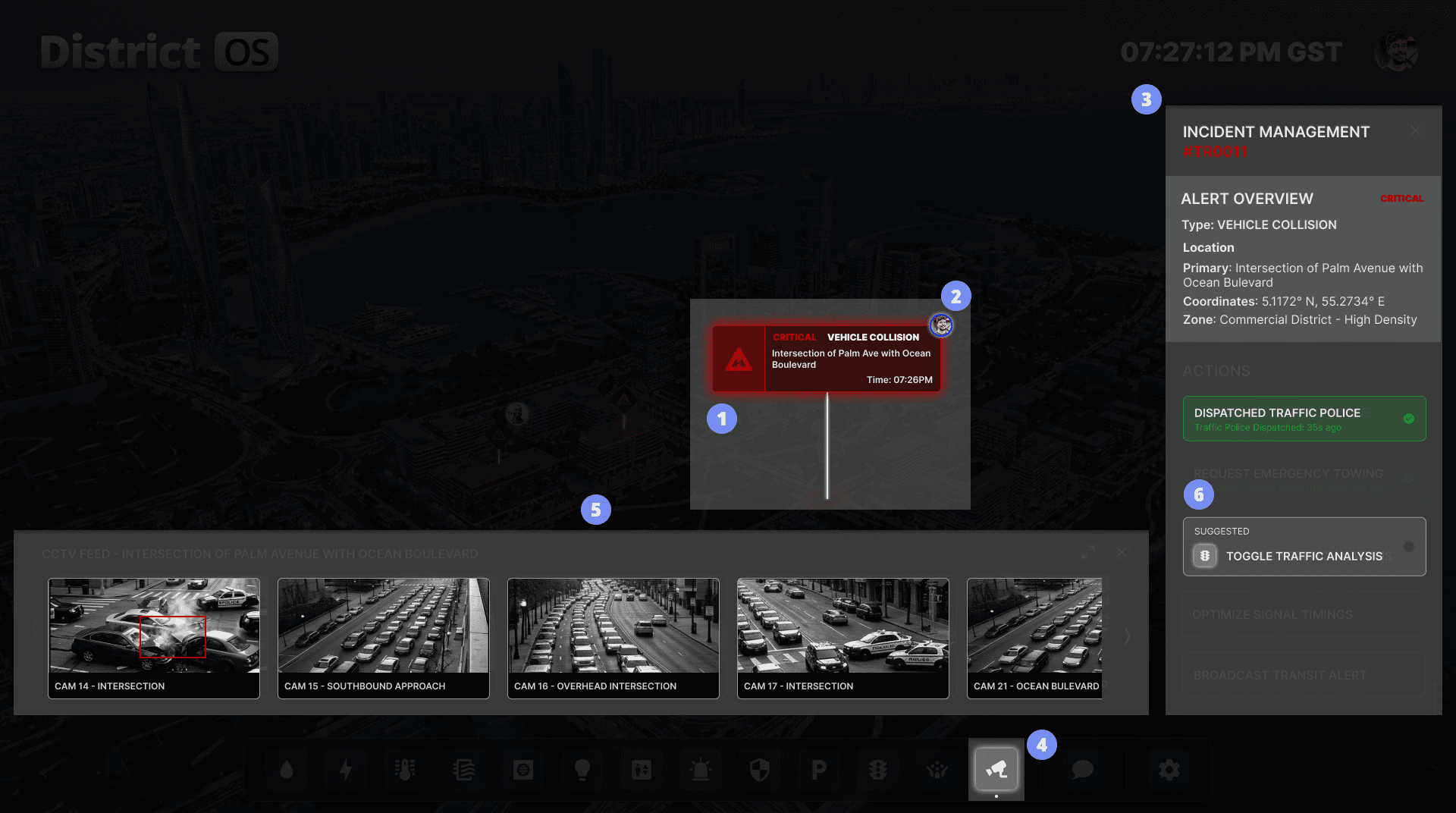
System Behavior
Incident Ownership
Operators select a live incident to immediately take control.
Contextual Menu
Relevant tools (e.g. CCTV) are surfaced automatically based on incident type.
Visual Presence
The system reflects ownership through avatar badges, ensuring clear team awareness of who is handling the situation.
Smart Aggregation
The system pulls the most relevant camera feeds, reducing manual search time.
The Workflow
The system coordinates user actions and automated responses into a continuous flow:
The sequence below illustrates how an incident is handled in real time:
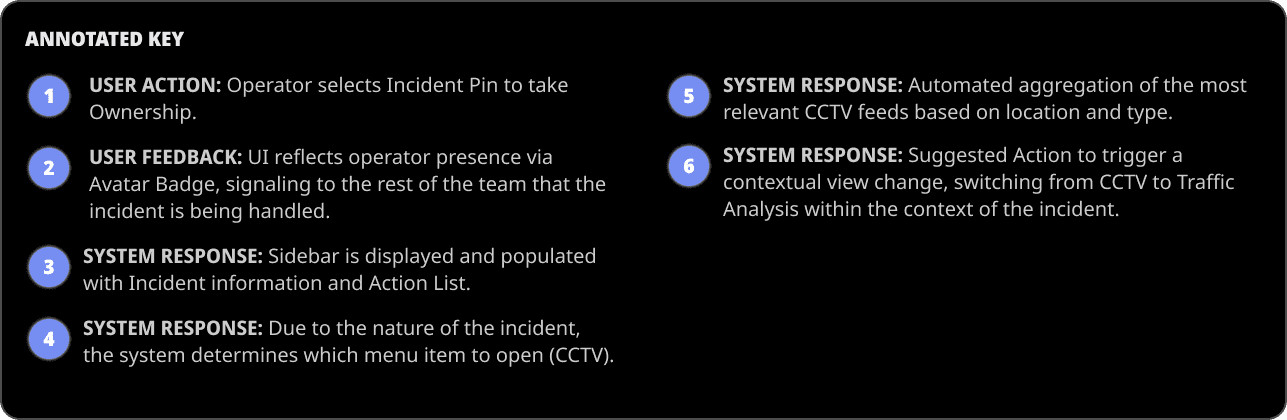
Design Impact
By automating CCTV aggregation and contextual tool selection, the system reduces time-to-action by eliminating manual navigation.
More importantly, it shifts from passive monitoring to active decision support—anticipating the operator’s next step instead of simply displaying data.
06. From Monitoring to Action
The system transitions seamlessly between passive monitoring and active incident response—ensuring operators always have the right level of detail for the situation.
Passive Monitoring (Default View)
In its default state, the dashboard surfaces only essential signals, giving operators a clear, low-friction overview of the district.
The Goal — Provide a clear, high-level overview of the district.
Key Logic — Panels stay minimized, surfacing only essential “health” signals to reduce cognitive load when no immediate action is required.
Contextual Incident Response (Active View)
When an incident is selected, the interface shifts into an active response mode:
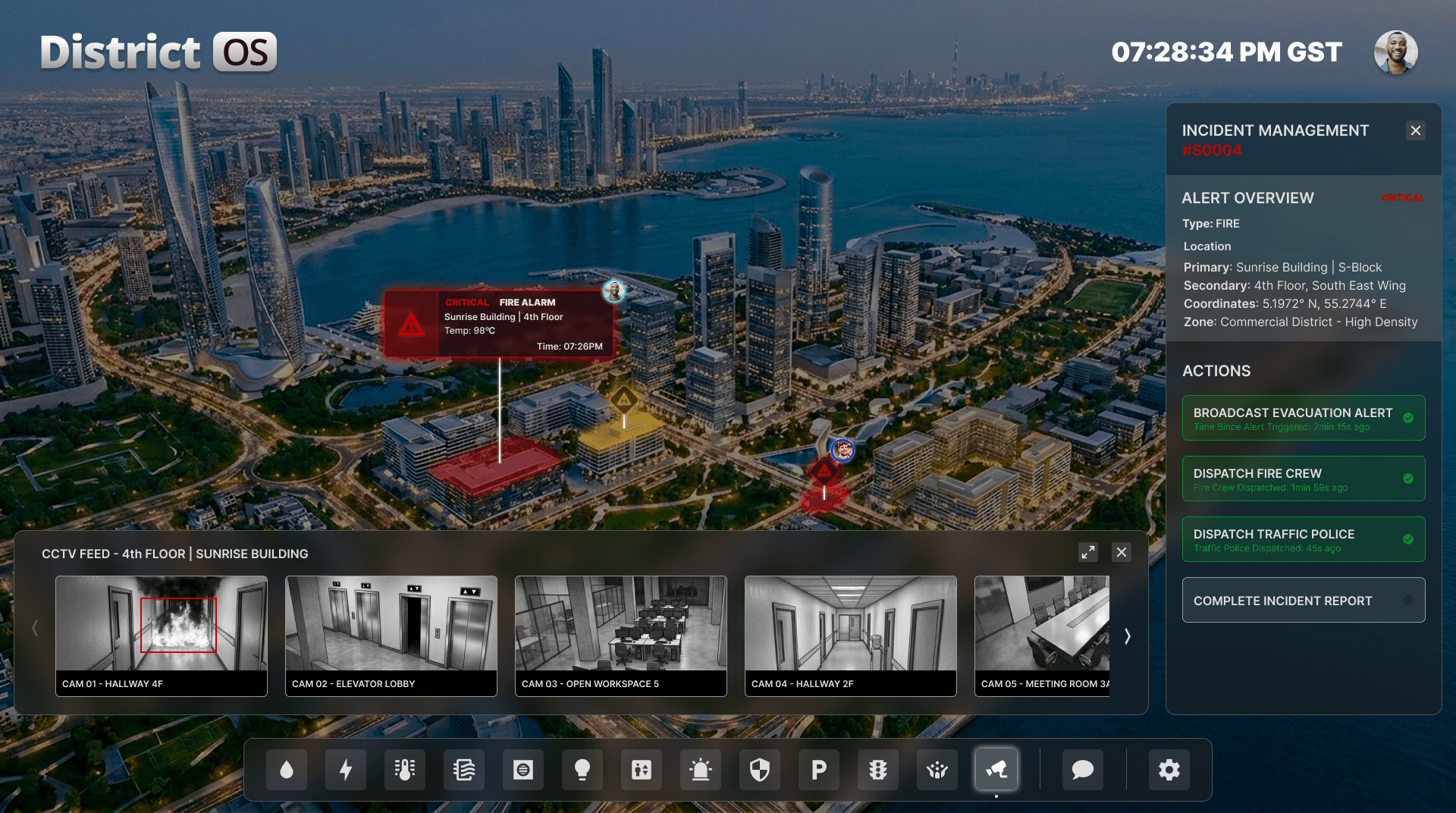
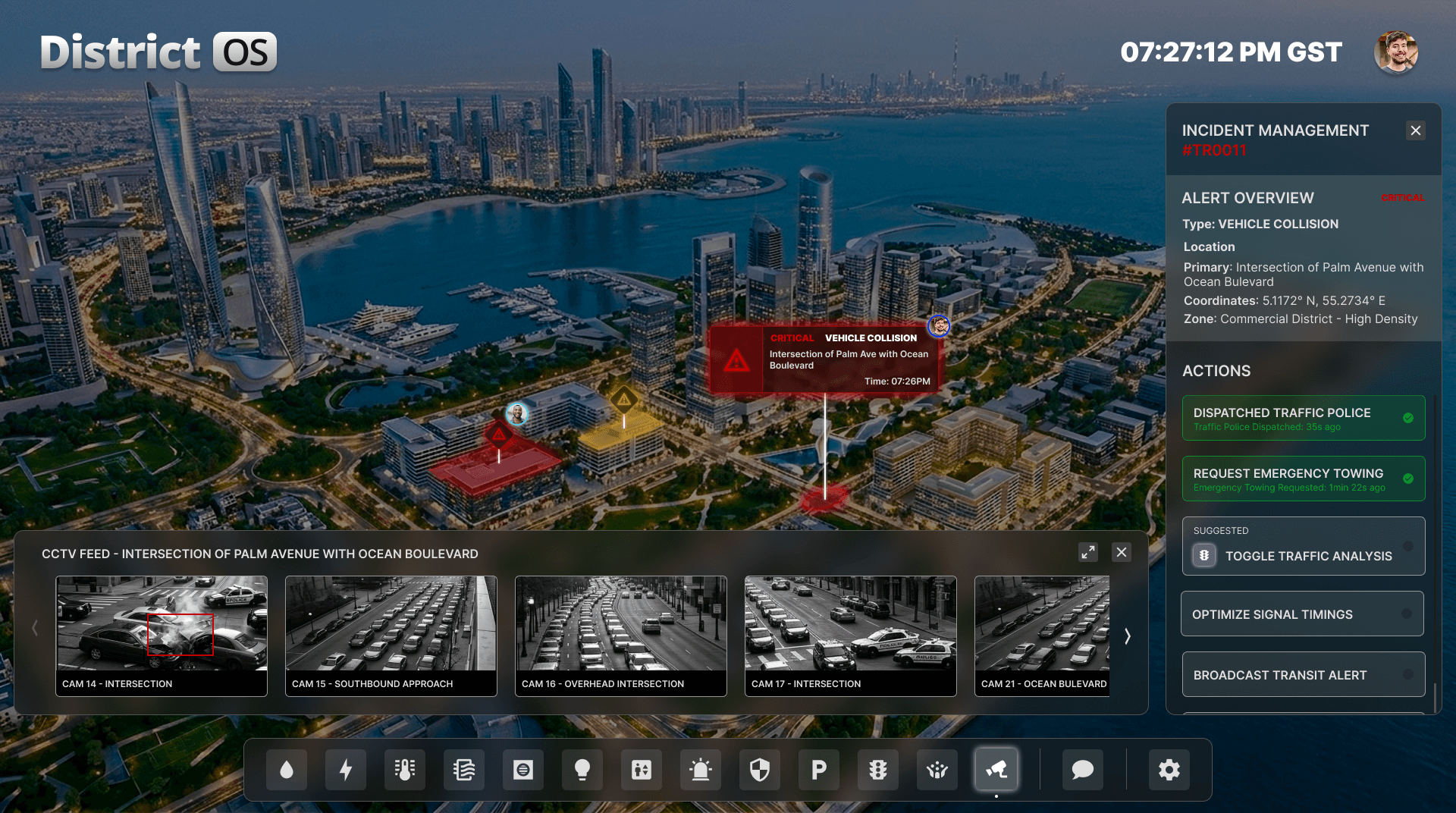
The Goal — Enable rapid decision-making during active incidents.
Key Logic — Relevant tools, data, and actions surface automatically based on the selected incident—reducing navigation and accelerating response.
This dynamic shift ensures operators move from awareness to action without friction.